First, let’s transfer the challenge files to our sandbox.

The tools used in this lab can be obtained from https://github.com/DidierStevens/DidierStevensSuite.
Examine the Employees_Contact_Audit_Oct_2021.docx file, what is the malicious IP in the docx file?
Before starting our analysis, let’s use the file command to determine the type of files we’re dealing with.

Microsoft OOXML is an XML-based file format (e.g., .docx, .xlsx) that attackers may exploit by embedding malicious macros or scripts.
OOXML files (e.g., .docx, .xlsx) are considered ZIP files because they are compressed archives containing multiple XML files and other resources (like images and fonts) that define the document’s structure, content, and formatting.
zipdump.py helps analyze OOXML files by listing embedded components with zipdump.py file.docx, extracting specific entries using -s, and searching for malicious content (e.g., macros) with grep. You can also extract suspicious files for further analysis.

You can use the -D flag with zipdump.py to dump all the information from an OOXML file, then analyze the content further with re-search.py to search for patterns or malicious indicators within the dumped data. This allows for a thorough inspection of the file’s structure and embedded elements.
re-search.py is a tool used to search for specific patterns, keywords, or malicious indicators within the contents of files or data, often applied after dumping information from a file.
python3 zipdump.py Employees_Contact_Audit_Oct_2021.docx -D | python3 re-search.py -n -u all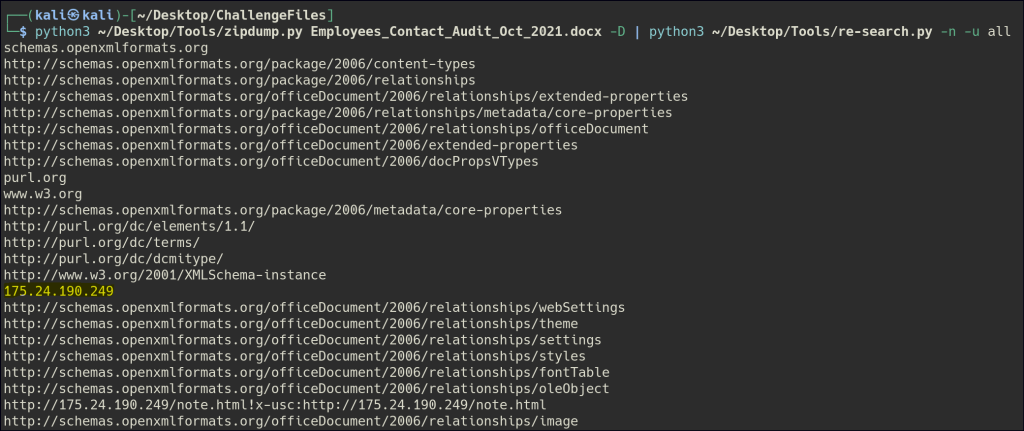
By using re-search.py, we can search through the dumped data to find an IPv4 address, which may indicate a network connection or communication endpoint within the file.
Examine the Employee_W2_Form.docx file, what is the malicious domain in the docx file?

For this file, we will use the --domaintld flag in re-search.py to search for and identify any suspicious domain names or top-level domains (TLDs) embedded within the content.
python3 zipdump.py Employee_W2_Form.docx -D | python3 re-search.py -n -u domaintld
Examine the Work_From_Home_Survey.doc file, what is the malicious domain in the doc file?

Since the previous methods didn’t yield any results, we’ll need to dig deeper into the file’s components by further analyzing the embedded XML files, scripts, and other elements to uncover more information.
The document.xml.rels component in an OOXML file defines relationships between the main document and other parts, such as images, styles, macros, or URIs, specifying how they are connected using target paths or identifiers.
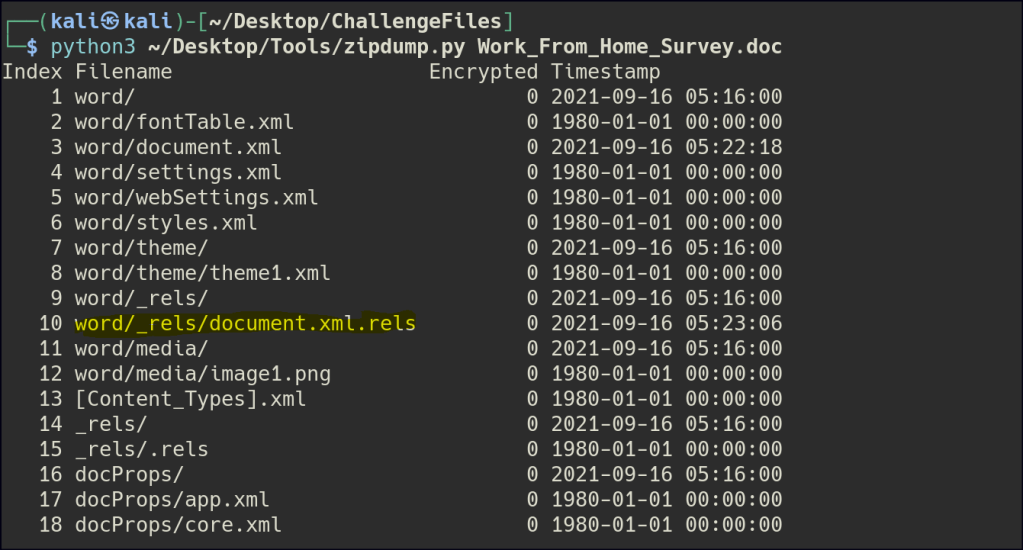
Let’s extract only this specific component using zipdump.py.

We see some encoded values; let’s use the numbers-to-strings.py tool to decode them.

Examine the income_tax_and_benefit_return_2021.docx, what is the malicious domain in the docx file?

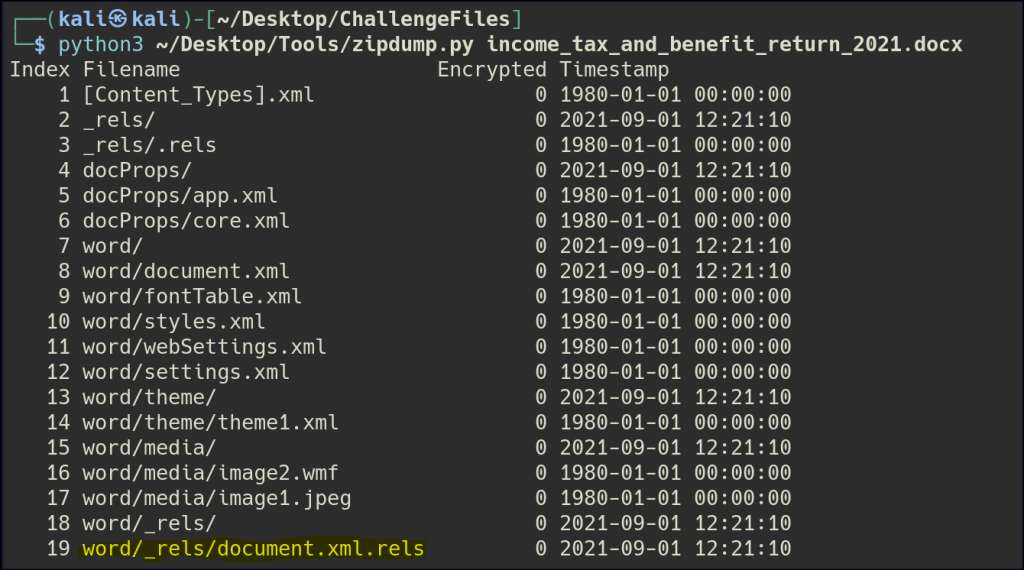
For the following file, let’s investigate the document.xml.rels component again to search for the domain.

What is the vulnerability the above files exploited?
The Microsoft MSHTML Remote Code Execution Vulnerability in Office 365 allows attackers to execute arbitrary code by exploiting a flaw in the MSHTML engine, often through malicious Office documents or webpages. It can lead to system compromise, data theft, or malware installation. This was a 0-day vulnerability, meaning it was actively exploited before a patch was available.
Analyzing attacks that exploit the CVE-2021-40444 MSHTML vulnerability | Microsoft Security Blog
 Persecure : my learning archive